Maybe* + Slack
AI-supported collaboration that keeps your team aligned and working faster.
Maybe* connects your AI Agents to Slack so your team can access insights, ask questions, manage work, and automate everyday tasks without leaving the app. Slack becomes the central place where your Agents communicate, support your workflow, and keep information moving.
Your team should not have to switch tools to collaborate with AI. When you connect Slack to Maybe*, your Agents understand the context of your conversations and respond with the right information at the right time.
What is Slack?
Slack is a communication platform used by teams to share updates, collaborate in channels, and stay aligned on projects. It supports fast conversations, clear communication, and searchable knowledge.
Maybe* brings AI into Slack so your team can work with more confidence. Your conversations become more informed. Your workflows become faster. Your channel updates become smarter.
What Maybe and Slack Can Do Together
The Maybe* + Slack integration gives your Agents a direct connection to the conversations your team relies on every day.
Your Agent can:
Join Slack to answer questions and assist your team
Share insights, summaries, updates, and context in any channel
Automate reports and notifications inside Slack
Retrieve information from your connected tools and present it clearly
Help your team and customers in shared channels
Keep projects and tasks aligned across tools without manual updates
Your Agent chooses the correct actions automatically so your team can focus on the work that matters.
What These Functions Mean in Real Life
Seamless communication
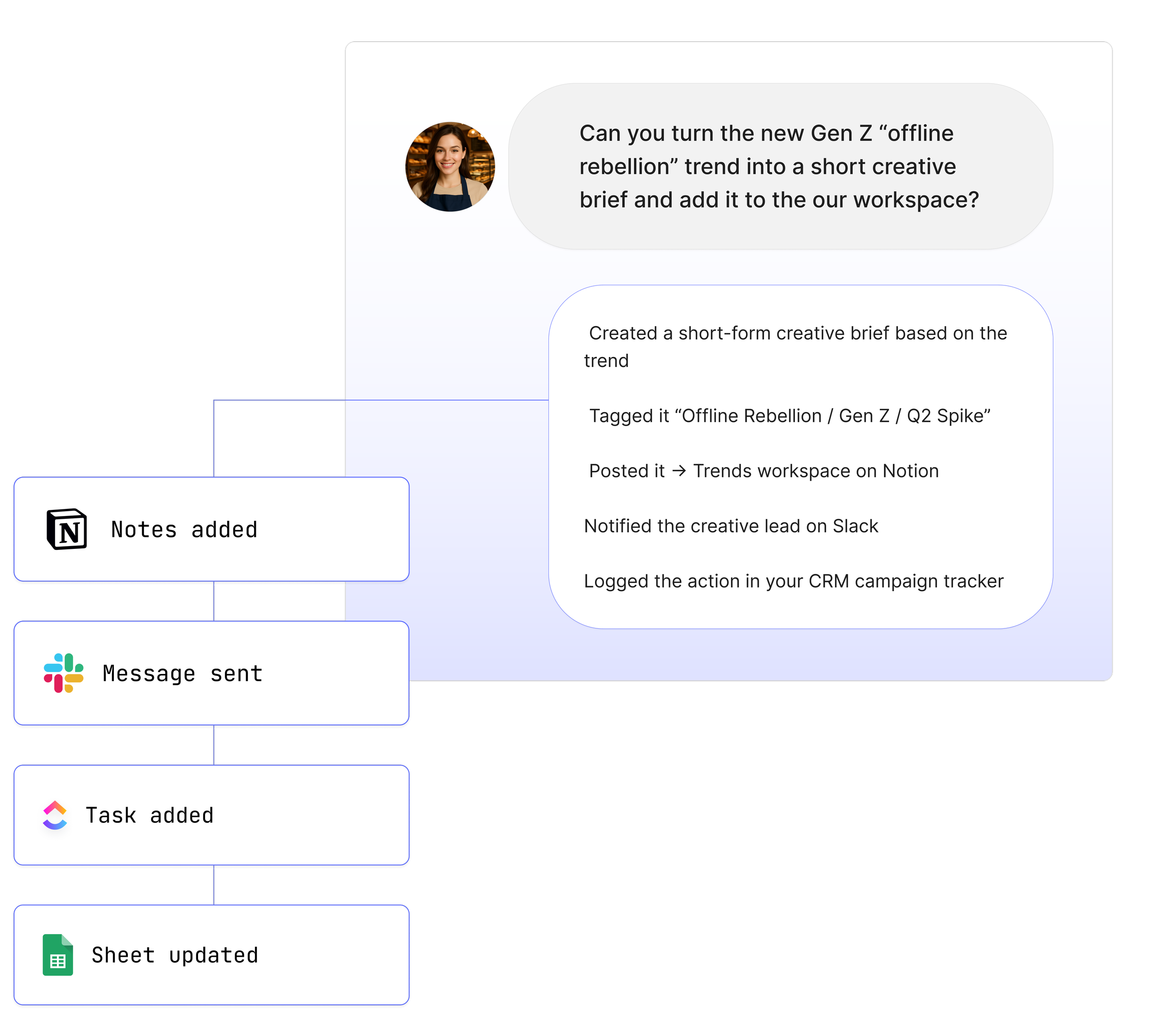
Your team can talk with your AI Agents directly in Slack. Insights, reminders, answers, and updates all arrive where your team already works.
Boosted productivity
Your Agents help automate repetitive tasks like reporting, scheduling, documentation, and data retrieval. Your team gets more done in less time.
Smarter collaboration
Your Agents can turn insights into actions by posting summaries, recommendations, and alerts into the Slack channels where decisions happen.
Real Use Cases
1. Ask your Agent questions directly in Slack
“@Maybe summarise the latest project updates for the team.”
Your Agent retrieves the right information from your connected tools and posts it in Slack or Teams.
2. Automate internal reporting
“@Maybe create a weekly summary for leadership based on our key tools.”
Your Agent collects the data and prepares a Slack ready update.
3. Turn Slack or Teams conversations into actions across your tools
“@Maybe create a task for this conversation.”
Your Agent extracts the context and updates ClickUp, Monday.com, Notion, or another connected system.
4. Support your customers in shared channels
“@Maybe help answer this customer question using our documentation.”
Your Agent retrieves information and prepares a clear, branded response.
5. Set alerts and keep your team aligned
“@Maybe notify the channel when this project status changes.”
Your Agent monitors connected tools and posts timely updates.
See How Teams Like Yours Are Using Maybe* Integrations


Requirements for Slack
Setup is simple. You will need:
A Maybe* account
A Slack workspace
Permission to install and approve the Slack app
Each team member can work with your Agents directly inside Slack after installation.
Advanced Workflow Examples
Pull updates from ClickUp and share a summary in Slack
Fetch Fireflies or Fathom transcripts and post meeting highlights
Create tasks from Slack messages and notify the team in channels
Prepare insights from Google Sheets and share them in Slack
Trigger n8n workflows using Agent output from conversations
Your Agent interprets each step and selects the right action so you do not need to manage complex instructions.
How to Integrate Slack
Navigate to the 'Configure' section.
Select 'Integrations’.
Search for 'Slack' in the list of available integrations.
Click the 'Connect' button next to Slack.
A pop-up window will appear, asking you to confirm the connection. Click the 'Connect' button again.
You will be prompted to log in to your Slack account. Enter your credentials to access your Slack workspace.
Once logged in, you will see a prompt to allow the connection between Slack and your AI Agents. Click the 'Allow' button to confirm.
Your Slack channel will now be connected to your AI Agents.
Now in your Slack workspace, mention the AI Agent in a Slack channel to prompt it to start assisting with tasks.
Learn More →
About Maybe*
Maybe* connects with the systems your team uses every day so AI can complete real work from beginning to end. You can use Maybe* directly, or work from Slack or Microsoft Teams. Wherever your team collaborates, our AI Agents bring the right context, take the right steps, and keep work moving.
The patent pending AI Agent Builder inside Maybe* creates Agents that select the best integration for each task. There is no need to join tools together or manage complicated flows.
Start with one AI Agent and a few core integrations. Add more as your needs grow. Maybe* supports your team across everything from simple tasks to full workflows.