Maybe* + Monday
AI-powered automation for boards, items, updates, and workflows across Monday.com.
Work faster and reduce admin with the Maybe* + Monday.com integration. Maybe* connects directly to your Monday.com workspace to automate item creation, board updates, file uploads, document management, and more, letting your team focus on real work instead of manual admin.
Your team shouldn’t have to open Monday.com to keep it updated.
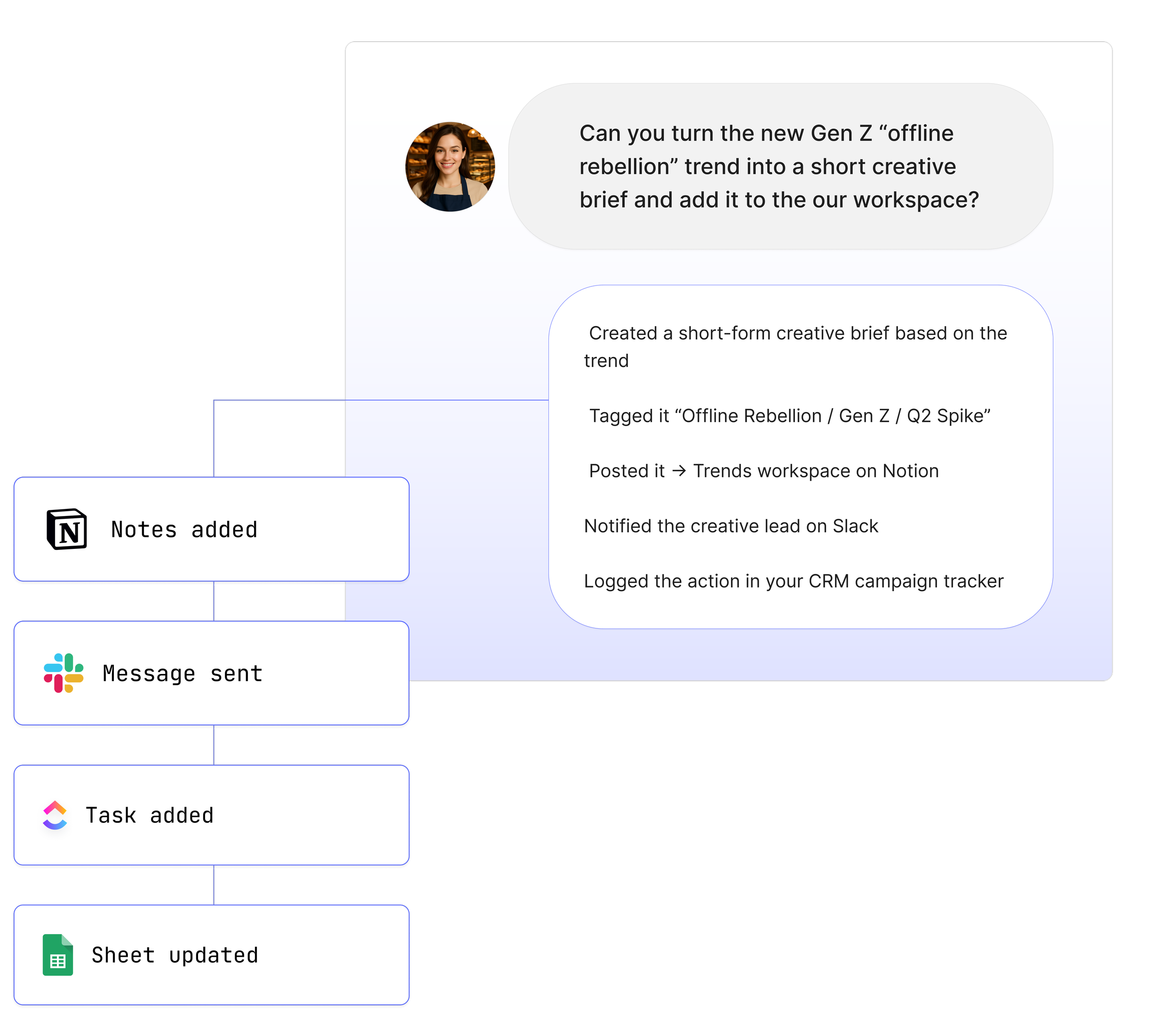
When you link Monday.com to Maybe*, your Agent understands your workflows, selects the correct Monday.com actions, and keeps everything in sync automatically.
What is Monday.com?
Monday.com is a powerful work OS used by teams to manage tasks, boards, documents, dashboards, and workflows. It supports marketing, operations, product, engineering, customer support, and cross-functional teams.
Maybe* makes Monday.com intelligent.
Your boards get smarter.
Your items stay accurate.
Your workflows become seamless.
What Maybe* and Monday.com Can Do Together*
The Maybe* + Monday.com integration unlocks AI-powered automation across boards, items, groups, forms, docs, dashboards, and workspaces.
Your Agent can:
Create items, subitems, groups, boards, docs, folders, and workspaces
Update item columns, board attributes, and workspace settings
Add updates, comments, subscribers, files, and attachments
Move, archive, duplicate, pin, clear, or delete items, groups, folders, and boards
Retrieve board schema, item details, docs, users, teams, and tags
Search boards, items, docs, and forms
Generate reports, summaries, and insights
Fetch paginated board data for deeper workflows
Maybe* automatically chooses the correct Monday.com action behind the scenes.
No plugin selection. No manual workflow configuration.
What These Functions Mean in Real Life
Your Monday workspace stays accurate
Your Agent updates boards, groups, and tasks based on real activity across Slack, email, meetings, and documents.
Your team avoids repetitive admin
The Agent carries context between tools, so Monday.com always reflects the latest information.
You save hours every week
No switching tools. No copy-pasting updates. Maybe* keeps boards, items, and docs in sync automatically.
Real Use Cases
1. Turn Slack or Teams conversations into Monday item updates
Your team discusses a problem in Slack.
“@Maybe, update the Monday.com item with this context.”
Maybe* extracts details and updates the item instantly.
2. Create Monday tasks from any tool
Email, meeting notes, document, chat message:
“@Maybe create a Monday.com item from this.”
Your workflow stays consistent across platforms.
3. Automatically summarise project progress
“@Maybe summarise our Monday.com sprint board.”
Maybe* retrieves items, aggregates statuses, and sends a formatted summary.
4. Keep Monday Docs aligned with other tools
If a document changes, your Agent updates the relevant places instantly.
5. Update Monday without opening Monday
Change statuses, move items, upload files, update columns, all through Maybe*.
See How Teams Like Yours Are Using Maybe* AI Agents



Requirements for Monday.com
Setup takes less than a minute. You’ll need:
A Maybe* account
A Monday.com account
Permission to connect Monday.com with read/write access
Optional board or workspace permissions if restricted
Advanced Workflow Examples
Teams often combine Monday.com with other tools to create powerful multi-step automations:
Pull items from a sprint board → summarise → share in Slack
Fetch a Monday.com Doc → extract insights → update a Notion document
Create new items from emails → attach files → notify teammates automatically
Sync Monday.com updates with Teams channels
Trigger custom logic in n8n based on Agent output
Your Agent interprets each step and selects the right action, no code required.
How to Integrate Monday.com
Getting started with Monday.com and your AI Agents
You MUST install the App before connecting. Please ensure the Maybe App is installed, **install it here.**
Then go to the Configure page in the top navigation.
Navigate to Integrations and search for "Monday."
Click "Connect" to open a pop-up window.
In the pop-up window click ‘Connect’.
Enter your account's web address.
Click "Next" and enter your email and password to log in.
Once logged in, you should be connected to Monday.
About Maybe*
Maybe* connects to the systems your team relies on every day, so AI can handle real work end to end. You can use Maybe* directly, or from Slack or Microsoft Teams. Wherever you work, our AI Agents bring the right context, take the right actions, and keep workflows moving.
Powered by our patent pending AI Agent Builder, Maybe* lets you deploy Agents that automatically choose the best integrations for the task. There is no manual setup, no stitching systems together, and no complex orchestration required.
Begin with a single AI Agent and a few key integrations. Add more as you grow. Maybe* scales with your business, moving from simple automations to fully connected, cross tool workflows.