Maybe* + ClickUp
AI-powered ClickUp automation that keeps your tasks updated, organised, and accurate.
Work faster and reduce admin with the Maybe* + ClickUp integration. Maybe* connects to ClickUp and updates your tasks automatically, so your team can focus on real work instead of manual task management.
Your team should not need to switch tools to update ClickUp. When you link ClickUp to Maybe*, your Agent understands your workflow, chooses the right ClickUp automation actions, and keeps everything in sync.
What is ClickUp?
ClickUp is an all-in-one workspace that helps teams manage tasks, documents, projects, and collaboration.
It is used across marketing, operations, product, customer support, and more.
Maybe* makes ClickUp more intelligent. Your workspace becomes smarter. Your tasks stay accurate. Your workflow becomes smoother.
What Maybe and ClickUp Can Do Together*
The Maybe* + ClickUp integration unlocks AI-powered automation across your entire workspace.
Your Agent can:
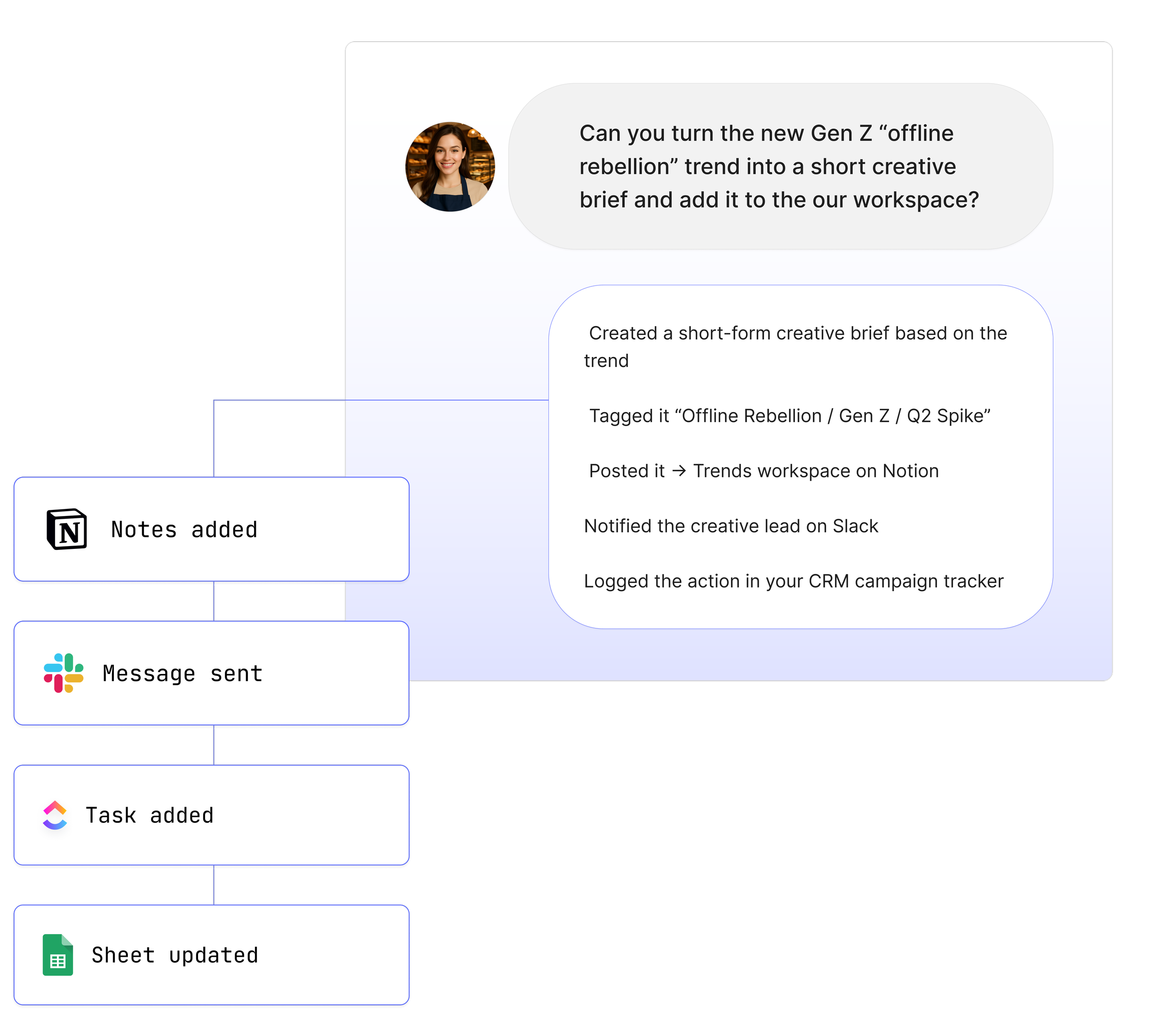
Create ClickUp tasks from conversations or content
Update tasks as work progresses
Add context from Slack, email, documents, or meetings
Upload files and attachments directly into ClickUp
Retrieve ClickUp Docs and task details
Maintain task accuracy without manual updates
What These Functions Mean in Real Life
Your ClickUp tasks stay accurate
Maybe* updates tasks based on real work happening across Slack, email, meetings, and documents.
Your team avoids repeated admin
The Agent carries context between tools, so ClickUp always reflects the latest information.
You save hours every week
No switching tabs. No searching for updates. Maybe* keeps ClickUp reliable and ready.
Real Use Cases
1. Turn Slack and teams conversations into ClickUp task updates
Your team discusses an issue in Slack or Teams.
“@Maybe update the ClickUp task with this.”
Maybe* extracts the details, adds context, and updates the task instantly.
2. Add meeting summaries to ClickUp automatically
“@Maybe add a summary and next steps to our ClickUp project.”
Your team gets structured information without typing notes.
3. Create ClickUp tasks from any tool
Email, message, document, or meeting.
”@Maybe create a ClickUp task from this information.”
Your workflow stays consistent.
4. Generate weekly progress summaries
“@Maybe summarise our high priority ClickUp tasks.”
Maybe* retrieves the tasks, writes the summary, and shares it.
5. Keep ClickUp Docs aligned across tools
When a document changes, Maybe* can update the connected tools you rely on.
See How Teams Like Yours Are Using Maybe* Integrations

Requirements for ClickUp
Setup takes less than a minute, and you only need:
A Maybe* account
A ClickUp account
Permission to connect ClickUp with read and write access
Optional list or space permissions if your workspace is restricted
Advanced Workflow Examples
Technical teams often combine ClickUp with other integrations to create multi-step workflows.
Examples include:
Pulling ClickUp tasks, summarising them, and sharing the summary in Slack
Reading a ClickUp Doc, extracting key points, and updating a Notion page
Creating ClickUp tasks from emails and sending follow-up actions to Teams
Triggering deeper logic in n8n based on a Maybe* Agent output
Your Agent interprets each step, chooses the correct ClickUp action, and completes the work without custom scripts.
How to Integrate ClickUp
Getting started with ClickUp and your AI Agents
Go to the 'Configure' section in Maybe*.
Navigate to 'Integrations' and search for ClickUp.
Select the 'Connect' button.
A pop-up will appear to confirm the connection; select 'Connect'.
You will be redirected to ClickUp to select the workspace s you wish to connect.
Choose one or multiple workspaces and confirm the selection.
Upon successful connection, a confirmation message will appear, and you will be redirected back to your account.
Note that ClickUp is a user-based connection, requiring each team member to connect individually.
About Maybe*
Maybe* connects with the systems your team depends on each day so AI can complete real work from beginning to end. You can use Maybe* on the web, or work from Slack or Microsoft Teams. Wherever you choose to collaborate, our AI Agents bring the right context, take the right steps, and keep your workflows moving.
The patent pending AI Agent Builder inside Maybe* creates Agents that select the best integration for every task. There is no need to join tools together or build complicated automation paths.
Start with one AI Agent and a few core integrations. Expand as your team grows. Maybe* supports you at every stage and helps you move from simple automations to complete workflows across your tools.