Maybe* + Float
AI powered scheduling and resource management for teams that need clarity and control.
Maybe* connects to Float so your team can manage projects, schedules, and capacity with less admin and more confidence. Your Agent can create milestones, tasks, phases, clients, and allocations, update project data, retrieve reports, and keep everything in sync without opening Float.
Your team should not need to switch tools to update project schedules. When you link Float to Maybe*, your Agent understands your workflow, chooses the right scheduling action, and keeps your plan accurate.
What is Float?
Float is a resource planning and scheduling platform used by operations, delivery, design, engineering, and project teams. It helps teams plan capacity, manage workloads, and track projects in real time.
Maybe* makes Float more intelligent. Your project data stays fresh. Your schedules stay accurate. Your workflow becomes smoother.
What Maybe and Float Can Do Together
The Maybe* + Float integration unlocks AI-supported scheduling, planning, and reporting for your entire team.
Your Agent can:
Create milestones, projects, clients, phases, and tasks
Allocate people to tasks with dates and hours
Update existing project and scheduling details
Retrieve project data, task lists, and milestones
Fetch team availability, holidays, and utilisation reports
Delete or modify clients, tasks, allocations, or phases
Access people data for resource planning and insights
Your Agent chooses the correct Float action for every request. You never pick plugins or set up routing.
What These Functions Mean in Real Life
Your schedules stay accurate
Maybe* updates allocations, project details, and milestones based on real work across Slack, Teams, meetings, and documents.
Your team avoids repeated admin
Your Agent carries context between tools so Float always reflects the latest information.
You save hours each week
No switching views. No digging through projects. Maybe* keeps your Float workspace ready for planning.
Real Use Cases
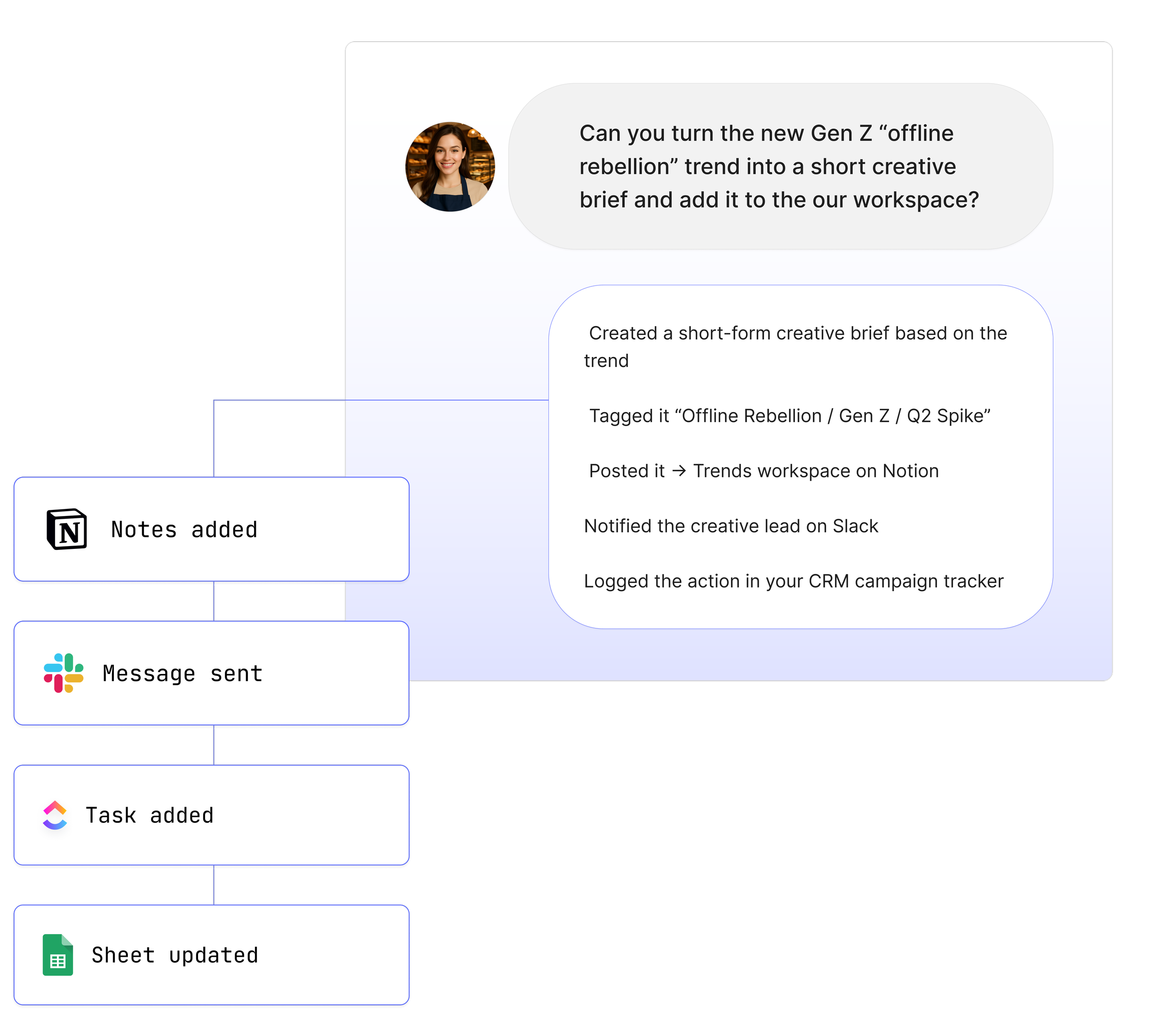
1. Turn Slack or Teams conversations into Float project updates
“@Maybe update the Float project with this context.”
Your Agent extracts important details and updates the project, task, or milestone immediately.
2. Create Float allocations based on real work happening across tools
“@Maybe create a task allocation for Jess next week for this task.”
Your Agent creates the allocation with the right hours and dates.
3. Generate weekly scheduling summaries for your team
“@Maybe summarise our key Float projects for the week.”
Your Agent retrieves the project and allocation data and produces a clean overview.
4. Add meeting insights to Float tasks
“@Maybe add a progress update to the Float task based on this meeting.”
Your Agent pulls the right task and adds structured notes.
5. Prepare project reports for planning sessions
“@Maybe gather Float project insights for our planning meeting.”
Your Agent fetches budgets, logged hours, and phases so you can make informed decisions.
See How Teams Like Yours Are Using Maybe* Integrations


Requirements for Float
Setup takes less than a minute. You will need:
A Maybe* account
A Float account
Permission to connect Float with read and write access
Optional project or workspace permissions if restricted
Advanced Workflow Examples
Pull Float project data to summarise progress and share in Slack or Teams
Fetch Float milestones to update planning documents in Notion
Create tasks from emails, allocate people, and notify teammates automatically
Sync Float project updates with Teams or Slack channels
Trigger deeper logic in n8n using Float project and allocation data
Your Agent understands each step and selects the right Float action so you do not need to manage flows yourself.
How to Integrate Float
Getting started with Float and your AI Agents
Float with your AI Agents.
Go to the configuration section and select 'Integration'.
Scroll down and search for 'Float'.
Click 'Connect'. A pop-up will appear requesting the API key.
The account owner of Float can locate the API key in the 'Integrations' tab within the team settings. If you are not the account owner, please ask the account owner for the API key.
Copy and paste the API key into the provided box and click 'Connect'.
The connection process will initiate, and you will see a 'Connecting' status.
Once connected, find or build an AI Agent that includes the Float plugins.
Click to use the agent.
About Maybe*
Maybe* connects with the tools your team uses every day so AI can complete real work from beginning to end. You can use Maybe* directly, or work from Slack or Microsoft Teams. Wherever your team collaborates, our AI Agents bring the right context, take the right steps, and keep work moving.
The patent pending AI Agent Builder inside Maybe* creates Agents that select the best integration for every task. There is no need to join tools together or build complicated flows.
Start with one AI Agent and a few key integrations. Add more as your team grows. Maybe* scales with your needs and supports everything from simple tasks to full workflows across your tools.