Maybe* + Box
AI-supported file storage and collaboration that keeps your content organised and ready to use.
Maybe* connects to Box so your team can search files and folders, manage uploads, update metadata, and attach content to AI workflows without leaving the tools they already use. Your Agent can create folders, upload files or versions, manage sessions, and retrieve detailed file information on demand.
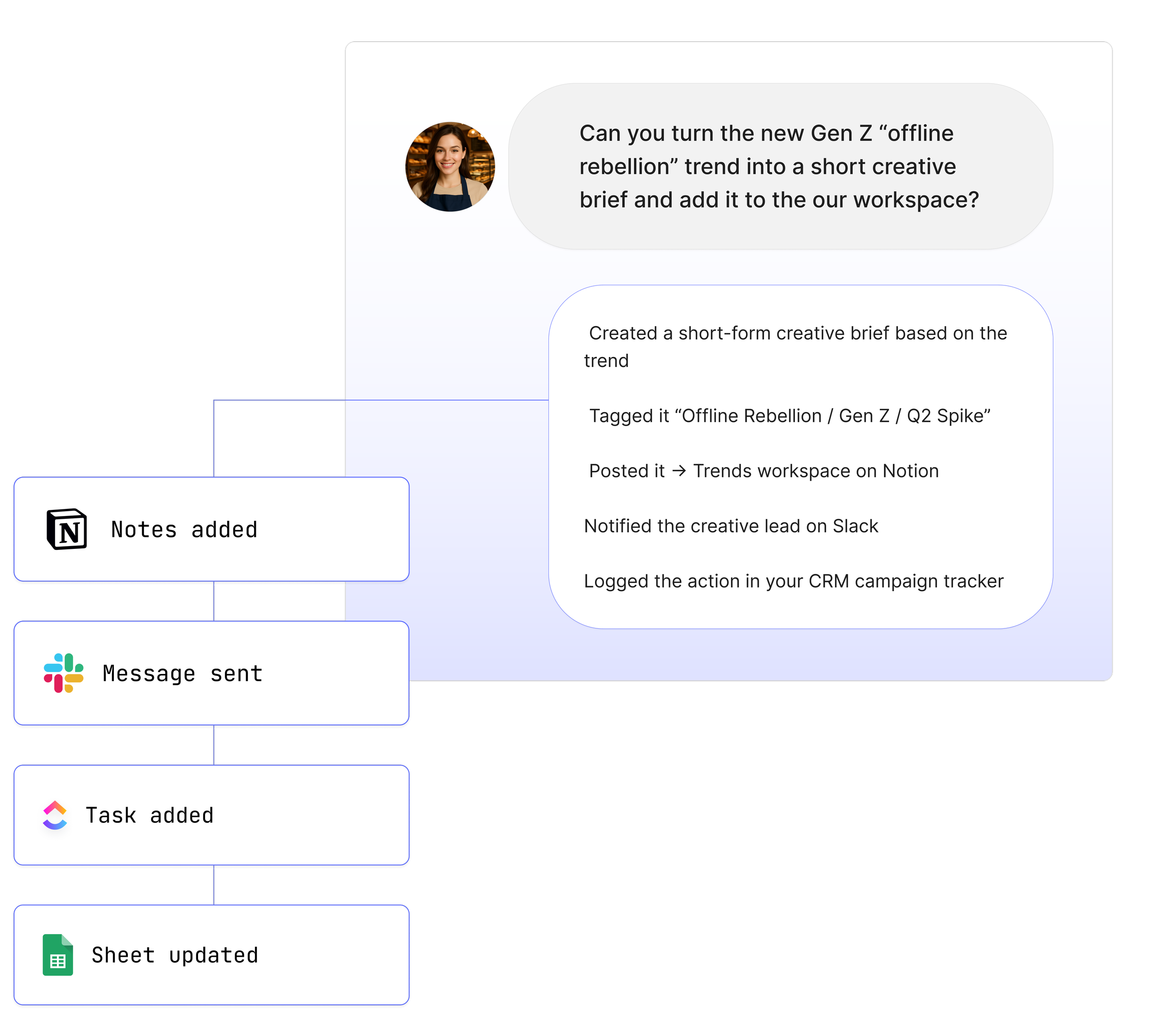
Your team should not need to click through Box folders to find or update content. When you connect Box to Maybe*, your Agent understands what you need, finds the right files, and takes the correct file actions for you.
What is Box?
Box is a cloud content platform that helps teams store, manage, and share files securely. It is used for collaboration, document management, and workflows across teams of all sizes.
Maybe* makes Box more useful in your day to day work. Your files stay organised. Your metadata stays accurate. Your workflows stay connected.
What Maybe and Box Can Do Together
The Maybe* + Box integration gives AI direct access to your file system so your team can move faster with less manual effort.
Your Agent can:
Search files, folders, and links
Create new folders for projects or clients
Upload new files, file parts, and new versions
Manage chunked upload sessions from start to commit
Abort upload sessions that are no longer needed
Retrieve file information and folder metadata
Update file and folder details such as names and permissions
Upload Box files into AI threads for analysis or summarisation
Your Agent selects the correct Box action automatically. You do not need to manage plugins or design flows.
What These Functions Mean in Real Life
Your team finds the right files quickly
Maybe* searches Box for files, folders, and links so you do not have to dig through directory trees.
Your content stays organised
Your Agent can create folders, update metadata, and upload new versions so everything stays in the right place.
Your AI workflows can use Box content safely
Maybe* can attach Box files into AI threads and keep a clear link back to the original source.
Real Use Cases
1. Turn Slack or Teams conversations into Box file actions
“@Maybe find the latest proposal in Box and share the link here.”
Your Agent searches Box, retrieves the right file, and posts the link in Slack or Teams.
2. Keep project folders in Box organised automatically
“@Maybe create a new Box folder for this client and move the related files into it.”
Your Agent creates the folder and updates your structure so you do not have to.
3. Update file versions without leaving your chat tool
“@Maybe upload this document as a new version in the Box project folder.”
Your Agent uploads the new version and keeps the version history intact.
4. Pull file details before a meeting
“@Maybe get the Box file info for this document and summarise what changed recently.”
Your Agent fetches metadata and can support follow-up analysis if needed.
5. Attach Box files to AI workflows
“@Maybe attach the latest Box report to our AI thread so we can review it.”
Your Agent uploads the Box file into the AI context so your team can work with it directly.
See How Teams Like Yours Are Using Maybe* Integrations



Requirements for Box
Setup is quick. You will need:
A Maybe* account
A Box account
Permission to connect Box with read and write access to the relevant folders
Advanced Workflow Examples
Search Box folders to find key documents and share them in Slack or Teams
Create new Box folders for projects and organise files automatically
Upload files from URLs or other tools into Box and notify the team
Update Box file metadata and then summarise the content in a Notion page
Trigger n8n flows using Box file events and Agent output
Your Agent understands each step and chooses the correct Box action so your team can focus on real work.
How to Integrate Box
Navigate to the configure page.
Go to the integrations section and search for "Box."
Click "Connect" next to Box. A pop-up window will appear.
Click "Connect" again in the pop-up window.
Enter your Box email and password in the new pop-up window.
Click "Authorise" to finalise the connection.
About Maybe*
Maybe* connects with the systems your team uses every day so AI can complete real work from beginning to end. You can use Maybe* directly, or work from Slack or Microsoft Teams. Wherever your team collaborates, our AI Agents bring the right context, take the right steps, and keep work moving.
The patent pending AI Agent Builder inside Maybe* creates Agents that select the best integration for each task. There is no need to join tools together or manage complicated flows.
Start with one AI Agent and a few key integrations. Add more as your needs grow. Maybe* scales with your business and supports everything from simple tasks to full workflows across your tools.