
Find Your First Task
Less repetitive work. More hours back.
Your team has jobs it keeps repeating. Your product has jobs its users need finished. Find where AI could take the work forward.
The free Maybe* assessment turns a few quick answers into a practical starting point, built around your tools, your priorities or your product.
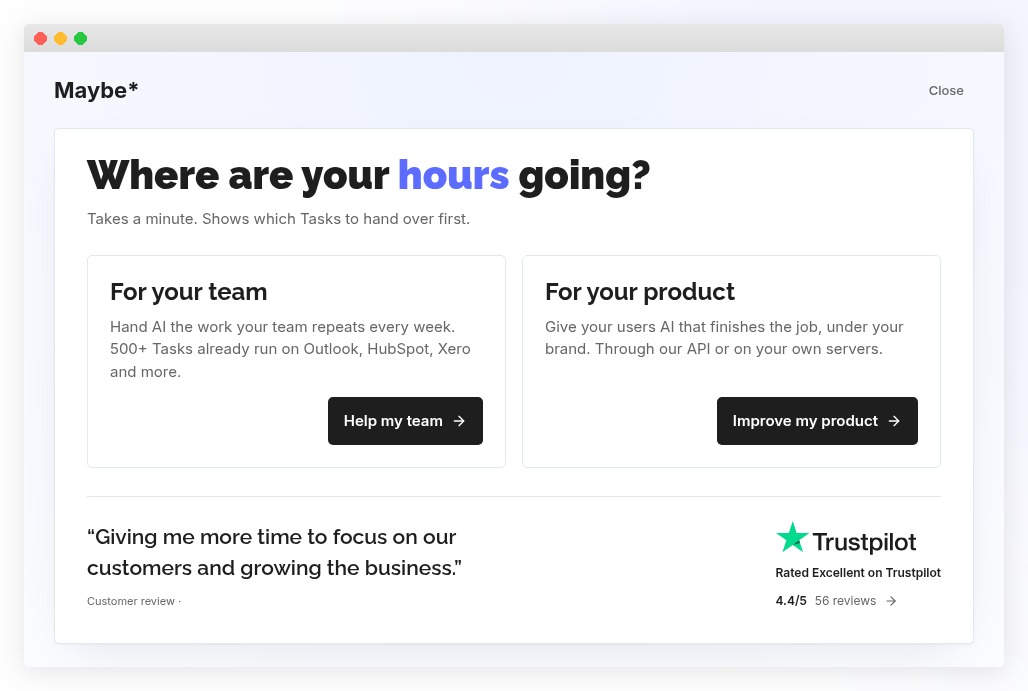
Which work should you hand over to AI first?
Not every job needs AI. Not every AI tool finishes the job.
Start with something specific: the spreadsheet you check every week, the briefing you prepare before each call, or the report your product users keep creating by hand.
A Maybe* Task is a defined job to hand over, not just a question to ask a chatbot. The assessment helps you find a relevant place to start.
Choose your starting point
For your team
Find ready-made Tasks that match the tools you already use.
For your product
Define the jobs you want AI to finish inside the software you are building.
FOR TEAMS
Find AI Tasks for the tools you already use
Your tools. Your weekly work. Your first Task.
Checking spreadsheets. Preparing for meetings. Drafting replies. Pulling information together.
The work is familiar. The question is which parts you could stop doing manually.
Tell us which tools your team uses and which activities take your attention. We match your selected tools against the Maybe* library of 500+ ready-made Tasks, then bring your matches and priorities together in a personalised report.
What you get
- Relevant Task examples, matched to your selected tools.
- Your weekly priorities in one place, ready to discuss with your team.
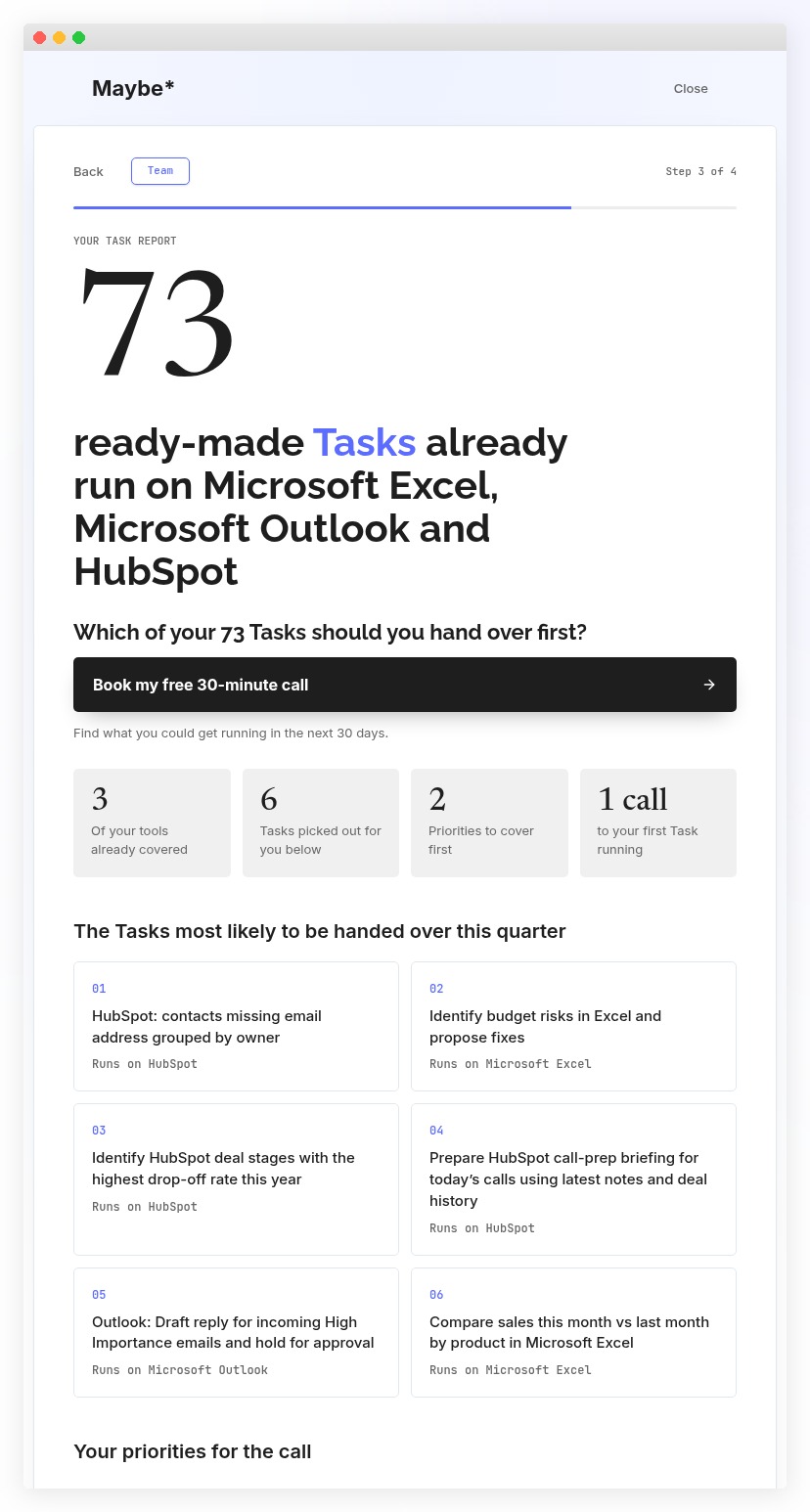
- A report with its own permanent link, so you can return to it or share it with colleagues.
No account connections. No documents to upload. No need to know the answer before you begin.
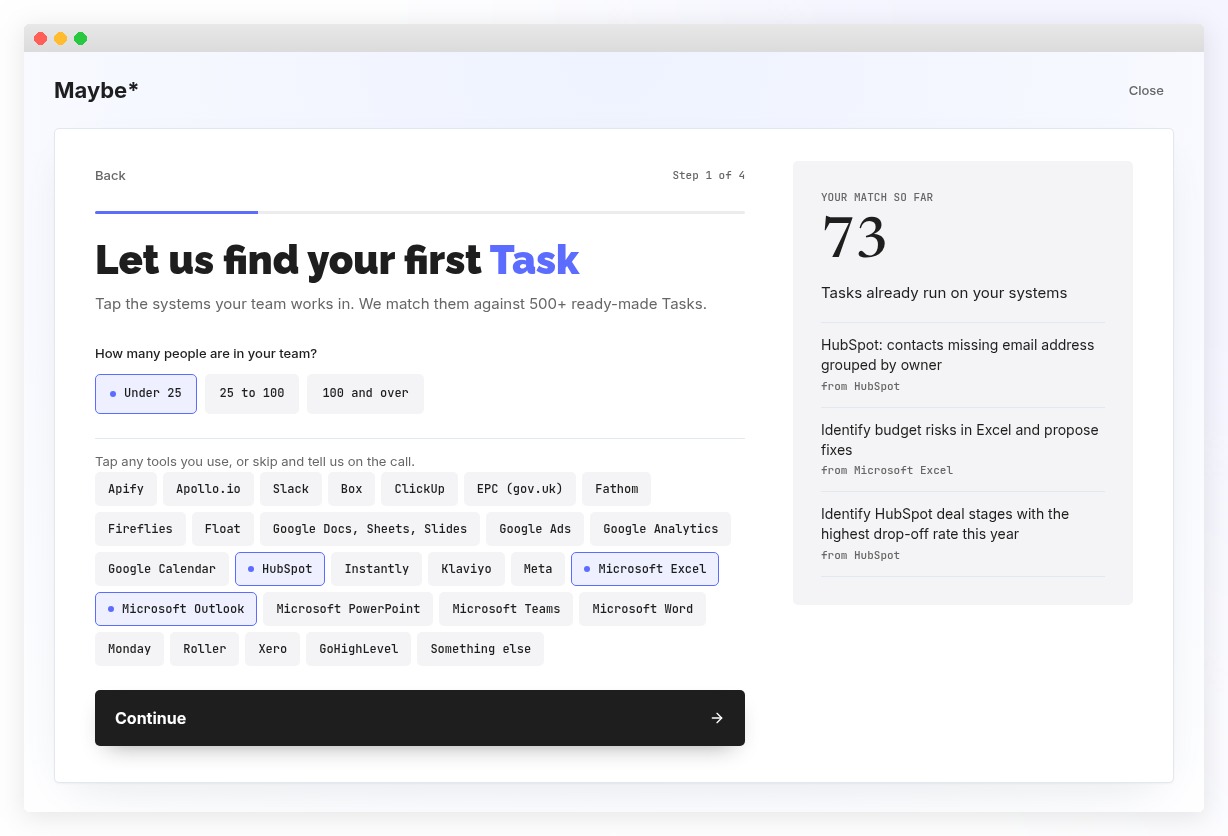
Which business tasks can AI help automate?
Here are three examples from the Maybe* Task library:
Spot risks in an Excel spreadsheet
Identify budget risks and proposed fixes, giving your team a clearer place to focus.
Prepare for a customer call in HubSpot
Create a briefing using the latest notes and deal history.
Draft an important reply in Outlook
Prepare a response to a high-importance email and hold it for approval.
Your matches depend on the tools you select and the current library. The Task count shows available options, not measured hours saved.
A Task report you can do something with
Your report brings together your selected tools, matching Task count, suggested Tasks and weekly priorities.
Use it to move the conversation from “we should do something with AI” to “which of these jobs should we hand over first?”
Share it with the people who do the work. Return to it when you are ready to choose a starting point.
Want help choosing what comes first?
On an optional free 30-minute call, a Senior AI Analyst uses your answers to explore which Tasks you could get running in the next 30 days and what an Audit would be worth to your team.
You arrive with something specific to discuss, not a blank page.
FOR PRODUCT PEOPLE
Find the job your AI should finish
Beyond a chat box. Towards a completed job.
Your users do not just need somewhere to ask questions. They need the report completed, the document approved or the right information moved into the next system.
The Product assessment helps you describe that outcome, whether your product is an idea, being built or already live.
What you capture
- The jobs your intelligence layer should finish, in your own words.
- Your product stage and context, including visitors and registered users where relevant.
- Your delivery preferences, whether that is a hosted API, your own servers or help deciding.
No technical specification needed. If your website is not live yet, you can still begin.
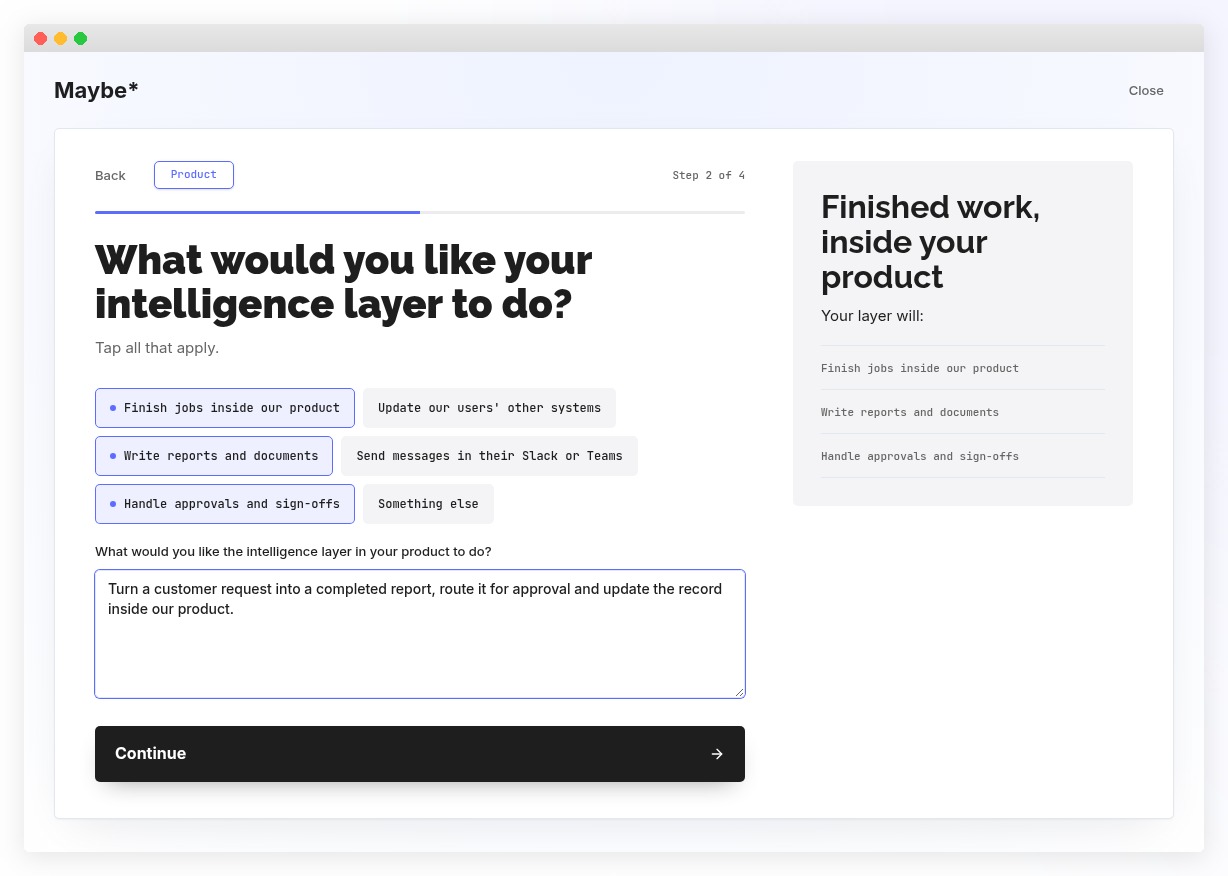
What could AI finish inside your product?
Customer-service software
“Turn a customer request into a completed document, route it for approval and update the record.”
Reporting software
“Create the report our user needs and send the finished summary to their Slack or Teams.”
Operations software
“Take the work through its sign-offs and update the other systems our users rely on.”
These are illustrative product briefs, not promises of an available integration or finished implementation.
The Product journey captures your brief rather than generating a Team Task report. If you choose to book a free 30-minute call, a Senior AI Analyst can use that brief to explore the next step and the value an Audit could deliver.
How the free AI assessment works
Choose your team or your product
The questions change to suit what you want to achieve.
Show us the work
Select your tools and weekly priorities, or describe the jobs your product should finish.
Make your next step specific
Teams see a personalised Task report. Product people capture a brief. If you want help taking it further, you can enter your details and choose a call time.
Completing the assessment does not automatically book a meeting or commit you to buying anything.
Find one job worth handing over
You do not need to map your entire AI strategy today.
Start with your tools. Start with your users. Start with the work you would like finished.
Real Results from Teams Like Yours
 Keith Fonseca, CEO, AJF Financial Group
 Ben Hau, Tourism Officer, Birmingham City Council
 Will Anderson, Founder, Growth Society
FAQs about finding your first Task
Do I need to know anything about AI?
No. Start with the tools you use, the work you repeat or the outcome your product should deliver. No prompting skills or technical knowledge needed.
Is the assessment free?
Yes. The assessment is free. The optional introductory 30-minute call is also free.
Does it connect to my accounts?
No. Selecting a tool does not connect your account or give the assessment access to it. Your selections are used to find relevant Tasks in the Maybe* library.
What if my tool is not listed?
Choose “Something else”. You can also continue without selecting tools; Team size is required, but tool selection is optional.
Will it calculate exactly how many hours I will save?
No. Matching Tasks are potential starting points, not a time-saving forecast. Realistic savings need to be explored using your actual work.
Can I use it before my product goes live?
Yes. Select “It is not live yet” and describe what you want your product to finish for its users.
Do Team and Product visitors get the same result?
No. Teams receive a personalised Task report. Product visitors capture a brief about the jobs AI should finish, their product stage and delivery preferences.