Stable Diffusion at Maybe*
High quality image generation, custom visuals, and creative output when your work needs visuals
Maybe* uses multiple large language models and generative systems behind the scenes. Our orchestration Agent selects the best one for each task. Stable Diffusion is one of the models we rely on when your work needs images, concept art, visual drafts, or custom assets that support creative workflows.
You do not need to choose Stable Diffusion yourself. When your Agent sees a task that fits Stable Diffusion’s strengths, it will route the request there automatically.
How Maybe* Uses Stable Diffusion
Stable Diffusion is often chosen when your Agent needs to:
Generate custom images from text
Create concept visuals, mockups, or design references
Produce consistent variations of a style or theme
Support creative teams with quick visual drafts
Render ideas into images that help clarify direction
Generate assets for presentations, content, or ideation sessions
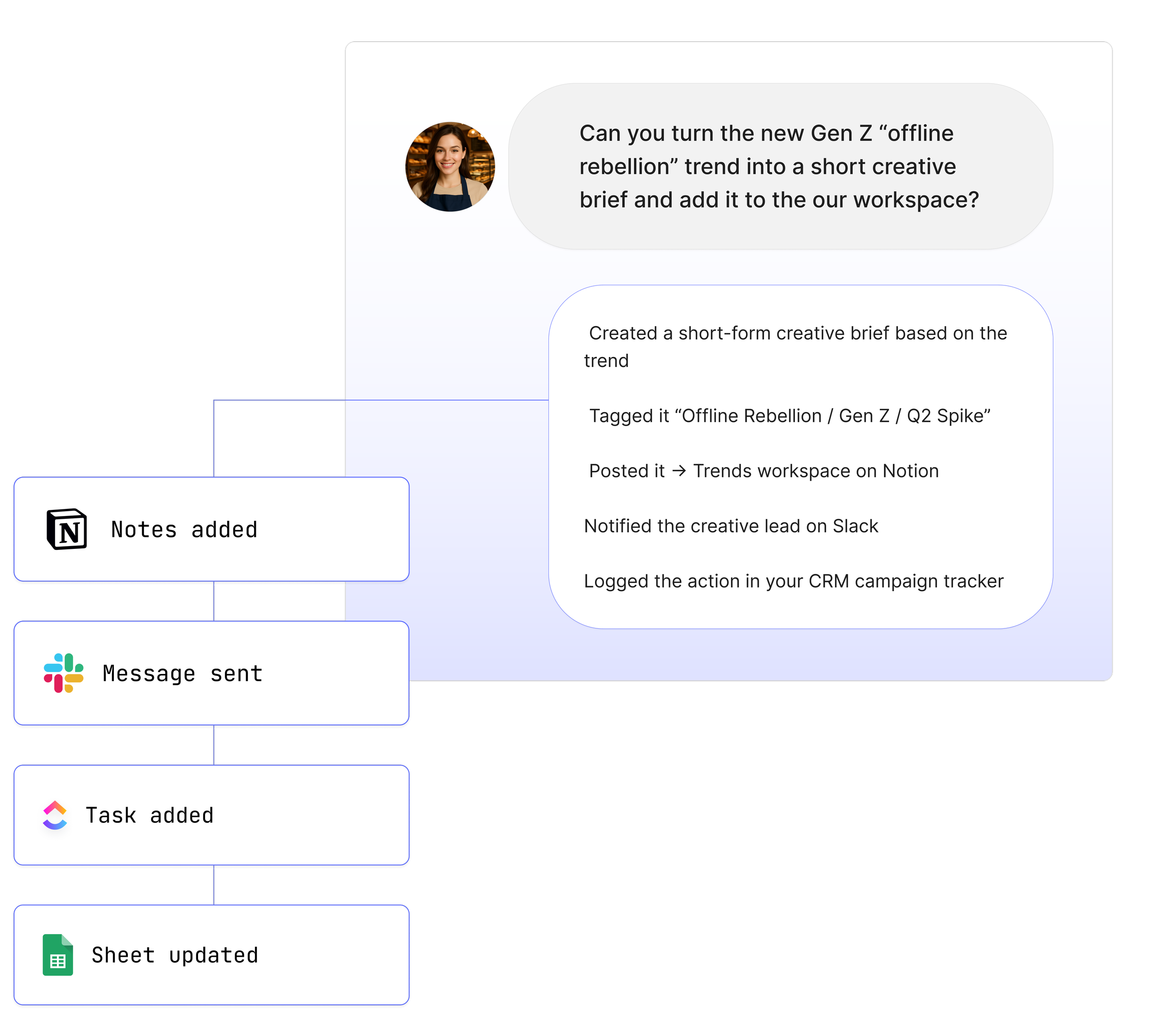
From your perspective, nothing changes. You still work in Slack, Teams, or your usual tools and say things like:
“@Maybe create a visual for this product idea.”
“@Maybe generate a few variations of this layout.”
“@Maybe turn this description into an image for our presentation.”
Behind the scenes, the orchestration Agent may choose Stable Diffusion to handle that work.
Where Stable Diffusion Shines
Image generation from text
Creates detailed visuals based on written prompts
Supports a wide range of styles and artistic directions
Produces consistent results with clear descriptions
Use it for: concept art, marketing ideas, product visuals, and moodboards.
Style control and variation
Generates many variations of the same concept
Can shift artistic style while keeping the core idea
Allows controlled experimentation
Use it for: creative exploration, brand direction, visual experiments.
Customisation and fine tuning
Can be fine-tuned on specific styles or assets
Supports model customisation at different quality levels
Allows teams to create visuals that match brand identity
Use it for: brand templates, internal style guides, consistent production.
Flexibility and open ecosystem
Supports a wide range of community models
Integrates easily into pipelines and design workflows
Offers strong flexibility for creative teams
Use it for: custom workflows, in-house tools, specialised visual tasks.
Efficient, repeatable workflows
Generates assets quickly
Produces consistent outputs when prompts are controlled
Useful for teams that need visuals at scale
Use it for: content teams, presentation decks, and iterative design reviews.
Blending text and visual reasoning
Works well with text-based models in combination
Helps transform abstract ideas into concrete visuals
Supports workflows where images and explanations work together
Use it for: design briefs, pitch materials, creative storytelling.
Specialised strengths
Stable Diffusion stands out in the areas where visual creativity and rapid image generation matter most.
It is particularly strong at turning text descriptions into detailed images that help teams explore ideas quickly. When your organisation needs visuals for presentations, creative sessions, or early concept development, Stable Diffusion helps your Agent deliver those assets without slowing down your workflow.
Stable Diffusion is also skilled at producing variations.
It can explore different colours, compositions, or styles while keeping the core idea intact. This makes it valuable for teams that want to experiment with options before refining a direction.
When the work involves maintaining a consistent look and feel, Stable Diffusion performs well.
Fine-tuned models or controlled prompt structures allow the system to stay aligned with brand guidelines or internal visual standards.
It also supports creative thinking.
Teams can move from idea to image in seconds, which helps shape discussions, improve clarity, and support decision-making. By combining visual output with reasoning from other models, Stable Diffusion gives your Agent the ability to turn abstract thoughts into images that your team can use immediately.
These strengths become even more powerful when paired with your internal tools.
Your Agent can generate visuals and place them into Google Slides, attach them to ClickUp tasks, share them in Slack or Teams, or store them in your documentation. Visual workflows become fast, accessible, and repeatable.
How Stable Diffusion Works With Other Models
Stable Diffusion does not work alone inside Maybe*. It is one of several models your Agent can choose from. The orchestration layer watches the task you give it and decides when Stable Diffusion is the best fit. It is often selected when the work involves creative direction, image generation, or visual decision support.
Your Agent can also use Stable Diffusion alongside text based models. One model may generate the idea or description, and Stable Diffusion turns that text into an image. Another model may then analyse or refine the result. This gives your team a full creative pipeline powered by multiple systems working together.
Sometimes your team needs careful reasoning. Sometimes your team needs long context. Sometimes your team needs an image. Stable Diffusion is chosen for the latter. When the request depends on visuals, your Agent routes the work to Stable Diffusion automatically.
From your perspective the process stays simple. You speak to @Maybe in Slack, Teams, or your workspace. You do not choose the model. You do not manage prompts. Maybe* selects Stable Diffusion when it is the right tool for the job and handles everything behind the scenes.
See How Teams Like Yours Are Using Maybe* Integrations

About Maybe*
Maybe* connects to the systems your team relies on every day so AI can handle real work end to end. Use Maybe* directly, or from Slack or Microsoft Teams. Wherever you work, our AI Agents bring the right context, take the right actions, and keep workflows moving.
Powered by our patent pending AI Agent Builder and orchestration layer, Maybe* chooses the right model and the right integration for each task. You do not need to configure prompts per model or build complex routing.
Begin with a single AI Agent and a few key tools. Add more models and integrations as you grow. Maybe* expands from simple automations to fully orchestrated, cross tool workflows.