
AI for Slack
AI for Slack: finished work, not another conversation
Your team already talks in Slack. Bring Maybe* into that conversation and give those questions somewhere useful to go: the tools that hold your deals, emails and spreadsheets. Start with the work you repeat every week, then find the Tasks that fit.
Find Your First Task →Find your matches, then choose a time for a free 30-minute call.
Ask in Slack. Get the work back.
Three Tasks people start in Slack, from a busy channel to a Monday stand-up.
Use Maybe* in Slack, Teams, Maybe* or your product.
Use Maybe* in Slack, alongside your team conversations.
TASK EXAMPLES
Illustration, not a live connection. Names and figures are made up.
Find Your First Task →What AI for Slack can mean for your team
An answer in chat is useful. A piece of work you can use is better. Think of a briefing built from deal notes, a clear summary of a long email thread, or a check of the spreadsheet you are about to share.
Slack is where the request starts and the result comes back. HubSpot, Outlook or Excel is where the information lives. The right Task depends on both.
Three places to start
- Before a client call. Bring the latest HubSpot notes and deal history together so you know what to ask next.
- When an email thread gets long. Use an Outlook summary to see what was agreed and what needs a reply.
- Before sharing a tracker. Check an Excel file for missing values and duplicates.
Start with the tools behind the conversation
The Maybe* library has 500+ ready-made Tasks. That is the whole library, not a count of Slack Tasks. Tell us which systems you use and we will show you which ready-made Tasks match them.
Explore AI for HubSpot, AI for Outlook and AI for Excel for examples of the work behind the chat.
Find Your First Task →What about Slack AI?
You do not have to start by replacing what you already use. Start by naming the job: what information does it need, what should come back, and who checks it? On the call, we will help you see where your existing AI tools fit and where a Maybe* Task could help.
How to find your first Task
- Tell us your systems. Choose the tools your team works in and your team size.
- Choose the work that matters. See your matches and tell us what takes the most time each week.
- Book your free 30-minute call. A Senior AI Analyst uses your answers to talk through the most useful starting points and the value an Audit could deliver. The introductory call is not the paid Audit.
Related pages
Keep the conversation. Hand over the repetitive work.
Find the Tasks that fit your tools, then talk through where to start.
Find Your First Task →Questions about AI for Slack
Is this the same as Slack AI?
This page describes the Maybe* approach to finished work requested through Slack. Your existing AI tools may already cover some jobs. The call helps identify what fits, rather than assuming you need to replace them.
Do all 500+ Tasks run on Slack?
No. The 500+ figure describes the whole Maybe* library. Matching depends on the tools a Task uses. Slack can be the place your team asks for work; the information may come from another system.
Are the examples live?
No. They are illustrations, with made-up names and figures. They show the kind of result to discuss on your call, not a connection to your data.
Will it work with our systems?
Tell us which systems your team uses in Find Your First Task. The journey shows ready-made matches; the call is where we discuss access, suitability and what a useful first Task would involve.
Is the call free?
Yes. The introductory call is 30 minutes, free and without obligation. It helps you understand useful starting points and the value a paid Audit could deliver. It is not the Audit itself.
What is an AI Agent?
AI agents are revolutionising how businesses operate. They can handle complete workflows, streamlining support, analytics and operations, so your team can focus on high-value tasks.

AI Agents vs Traditional Automation Tools
Traditional tools automate tasks. AI agents automate outcomes.
| Feature | Traditional Automation | AI Agents |
|---|---|---|
| Rule Flexibility | Rigid scripts | Adaptive workflows |
| Decision-Making | None | Intelligent and autonomous |
| Context Awareness | Minimal | Persistent memory |
| Handling Ambiguity | Poor | Strong |
| System Integration | Limited or manual | Cross-platform |
| Examples | RPA bots, macros | Autonomous AI systems |
AI Agent Use Cases by Function
Streamline every department with intelligent automation,from customer service to HR and analytics.
Customer Support
AI agents handle enquiries, triage tickets, resolve common issues, escalate complex requests, and operate 24/7.
Marketing and Sales
They qualify inbound leads, automate campaign management and content delivery. They also monitor performance and adjust in real time.
Business Operations and Analytics
Agents integrate with multiple systems to pull data, generate dashboards, and monitor performance for anomalies.
Human Resources
They support recruitment, automate onboarding, answer policy questions and coordinate staff training.
-
Automate client reporting
Monitor cross-channel campaigns
Generate proposals based on client inputs
Qualify leads across platforms
Coordinate freelancer tasks
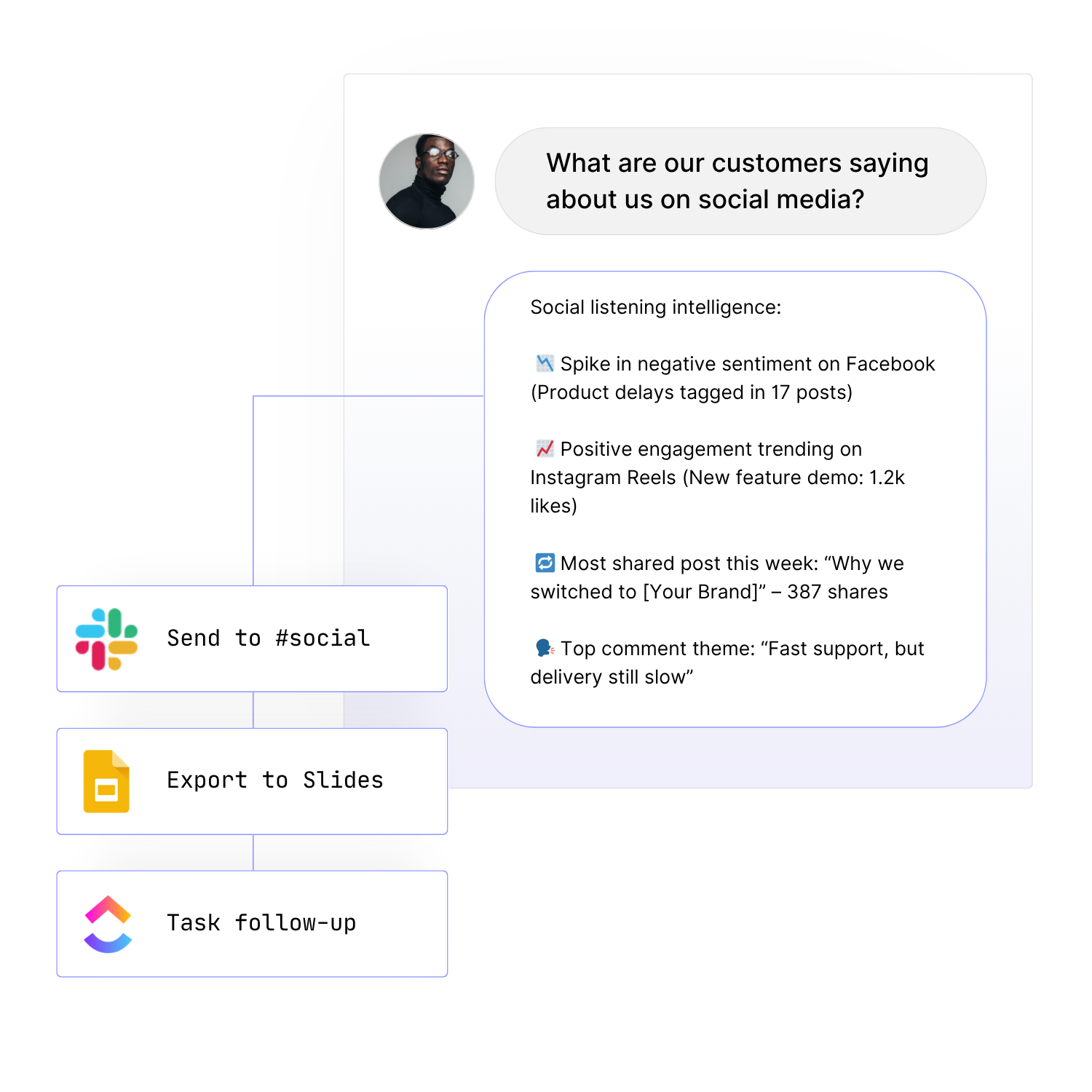
Track sentiment across channels
-
Deliver personalised product recommendations
Adjust prices dynamically
Automate customer support at scale
Manage logistics and order tracking
-
Integrate with multiple systems and tools
Pull and analyse operational data
Generate real-time dashboards and reports
Monitor performance for anomalies and trends
-
Enable predictive maintenance scheduling
Conduct automated quality assurance
Optimise production timelines
Manage resources efficiently
-
Optimise delivery routes in real time
Track shipments automatically
Control inventory across locations
Improve supply chain visibility
-
Plan and book trips with AI assistants
Provide automated customer service via chatbots
Streamline expense reporting and reimbursements
Update live itineraries and alerts
-
Provide digital support for citizens
Accelerate processes like licensing and form submission
Improve transparency and real-time reporting
Align programs with evidence-based policies
-
Pre-qualify property leads
Schedule appointments automatically
Recommend properties based on buyer preferences
Analyse local market trends and pricing shifts
Challenges and Considerations
Build smart, safe systems. Align AI agents with business goals, technical readiness, and compliance needs.
Oversight & Goal Alignment
Set boundaries, assign clear goals, and use human approval for critical tasks during early deployments.
Training & Responsible Use
Provide AI agents with accurate data and educate employees on responsible usage.
Integration Readiness
Confirm APIs and connections are available. Legacy systems may need adaptors.
Security & Compliance
Choose platforms with encryption, audit logs, access control, and regulatory tools.

Implementing AI Agents: Step-by-Step
Start simple. Scale smart. Here’s how to roll out AI agents that actually work.
- Find the Use Case: Start with a repetitive, process-heavy task.
- Select a Platform: Opt for a secure, no-code agent platform with integrations.
- Run a Pilot: Deploy one agent and evaluate ROI.
- Train the Team: Ensure people understand how to collaborate with AI.
- Scale Carefully: Expand to other departments or workflows after success.
- Measure and Adjust: Monitor KPIs and make improvements continuously.

How Are AI Agents Different from LLMs like ChatGPT?
LLMs such as ChatGPT generate text in response to prompts. They’re excellent for content creation or answering questions, but they do not take action on their own. AI agents are autonomous systems. They plan, decide, act, and improve over time. While LLMs offer advice, agents act on it.
| Feature | LLM (e.g. ChatGPT) | AI Agent (Agentic AI) |
|---|---|---|
| State | Stateless | Stateful (remembers context) |
| Autonomy | Requires user input | Operates independently |
| Task Type | One-off commands | Full multi-step workflows |
| Decision-Making | Prompt-based | Goal-driven execution |
| System Integration | Manual | Connects to APIs & business tools |
| Complexity Handling | Low to moderate | High—can manage layered logic |
| Example | Writes an email when asked | Drafts, sends, logs email based on workflow rules |
Why This Distinction Matters
LLMs enhance productivity and creativity but require manual action at every step. AI agents deliver outcomes automatically fetching data, acting on it, and updating your systems without being prompted. They don’t just generate answers. They get business done.
AI Agents vs LLMs: Do You Need to Choose?
With Maybe*, there’s no need to choose.
| Use Case | LLM (e.g. ChatGPT) | AI Agent | Unified on Maybe* |
|---|---|---|---|
| Content creation | ✅ | ✅ | ✅ |
| Workflow automation | ❌ | ✅ | ✅ |
| Data analysis/reporting | ✅ (descriptive) | ✅ (actionable) | ✅ |
| API integrations | ❌ (copy/paste) | ✅ | ✅ |
| Data security and control | ❌ (third-party data risk) | ✅ | ✅ |
| No developer skills required | ❌ | ❌ | ✅(AI Agents deployed with natural language) |
Where Maybe* Excels
Maybe* empowers businesses to launch AI solutions in minutes, not months. With powerful no-code tools, pre-built use cases, and deep integrations across your tech stack, it's never been easier to deploy secure, enterprise-grade AI.
✔ No-Code Agent Building
✔ 100+ Pre-Built AI Agent Use Cases
✔ 2,000+ App Integrations (Slack, Notion, Click Up and more)
✔ Access to Leading LLMs (GPT-4, Claude, Gemini, Perplexity and more)
✔ AI Agents that run inside Slack and Teams
✔ Secure by Design: SOC2 Via Open AI, GDPR/EU AI Act Ready

Reporting’s faster than we thought possible and 100% on-brand.
FAQs About Maybe*
I don't know anything about AI. Can I really use this?
Yes. That's exactly why we built Maybe* this way. You pick from 20 ready-made agents, give them a task, and they do it no AI knowledge required, no complex prompts, and no technical setup. Most teams are working with their first agent in under 10 minutes.
Plus, every Maybe* user gets free access to the Daily AI Academy live training sessions every day, expert support, and a community of other users. You’re never figuring it out alone.
See our AI Academy Schedule →
What is Maybe*?
Maybe* is a platform that gives you 20 ready-made AI Agents and lets you build unlimited custom ones. Each agent completes real work; customer support, content creation, research, reporting, admin tasks, and they all work together across your existing tools.
What can Maybe* AI Agents do?
They complete tasks your team already does: answer customer questions, write content, analyze data, create reports, summarize meetings, draft job descriptions, generate marketing copy, process information, and much more. If you can describe the task, an agent can do it.
Who uses Maybe*?
Startups, agencies, SMEs, professional services, retail businesses, course creators, nonprofits, and local governments — any team that wants to add AI to their business without the complexity or risk.
How is Maybe* different from chatbots or automations?
Chatbots just respond to questions. Automations follow rigid if-this-then-that rules. Maybe* Agents actually complete work, learn from feedback, maintain context, stay on-brand, and work together as a coordinated team across multiple tools.
How much does it cost?
Pricing starts with flexible plans for teams of all sizes.
See Pricing Options →
Is my data safe?
Yes. Your data stays yours. We're Cyber Essentials certified, have a SOC2 Enterprise Agreement with Open AI and you control what information your agents can access. Your data always remains private and is never used to train the models. Full security details are available on request.
Can I try it before committing?
Absolutely. Get started free. Build your first agents, give them tasks, and see the results yourself.
Get Started for Free
See how easy it is to deploy your own AI Agents. With Maybe*, get up and running in minutes no code, no risk. Automate smarter, scale faster, and do more for less.